

















BCC Caustics
Category: BCC Textures
Effect Name: BCC Caustics
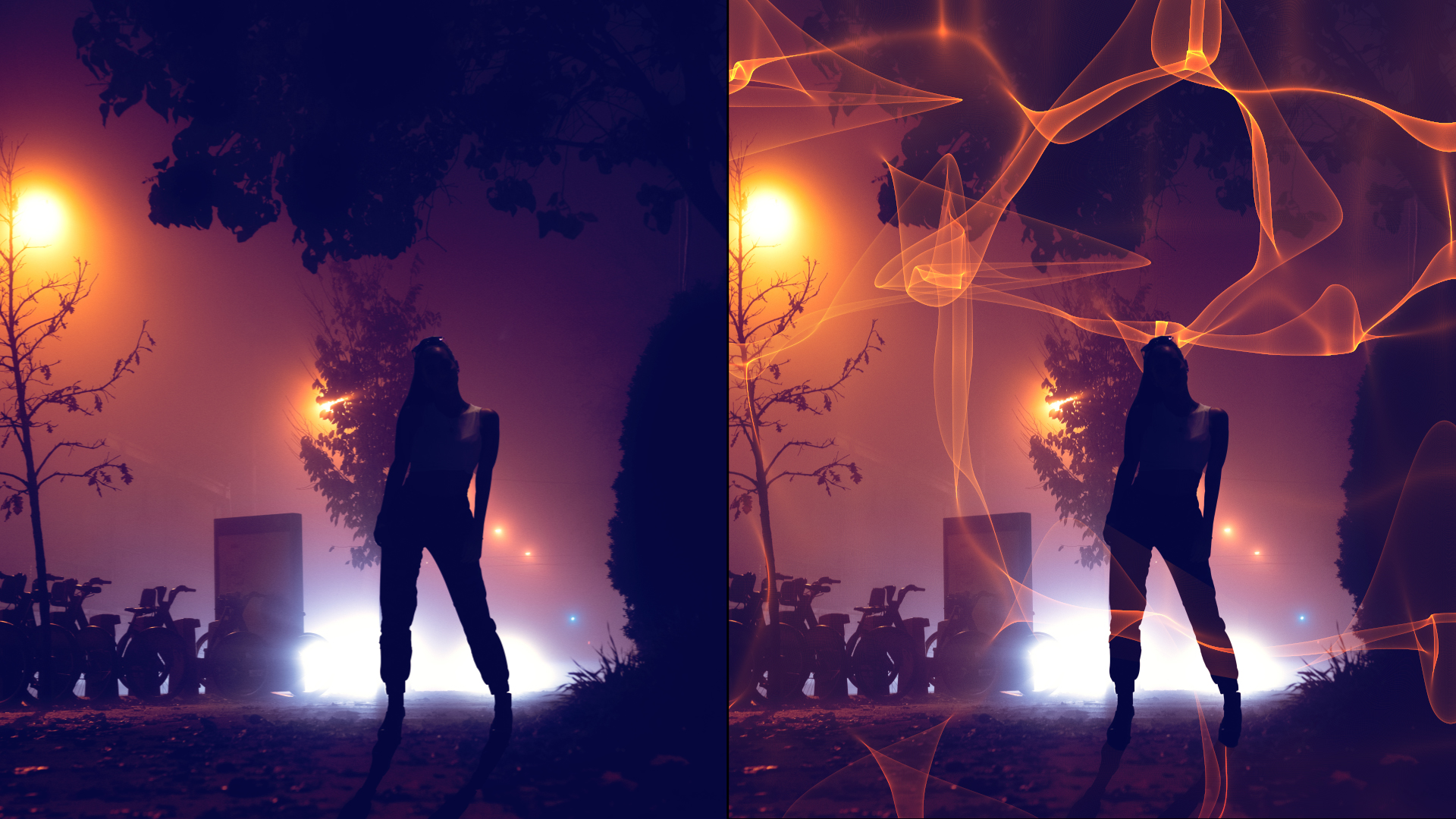
The BCC Caustics filter, part of the BCC Textures category, is used to simulate the effect of light refracting through a surface of water and projected onto a surface (like moving water ripple reflections on a pool bottom). You can use this filter to create many types of effects where rays emanate from a point and are reflected or refracted by a curved surface. For example, you could use this filter to generate moving plasma fields, smoky particle effects, waves in a pool, or animating geometric patterns.
Working with the Filter
Presets and Common Controls
- BCC filters come with a library of factory installed presets plus the ability to create your own custom presets and preview them with the BCC FX Browser™.
- BCC filters also include common controls that configure global effect preferences and other host-specific effect settings.
For more information about working with presets and other common controls, Click Here.
Note: This filter is very render intensive. You may want to work in draft mode while you set up the effect.
Effect Controls
Mocha Mask and Track
Continuum effects include integrated masking and matte tools that allow you to restrict the effect to specific regions of the image.
- Mocha masks: used to create custom spline masks. Mocha also includes Matte Assist ML and Matte Refine ML, which use machine learning to generate and track masks.
- Pixel Chooser: used to generate geometric shapes, gradients, or mattes based on channel, luma, or color-based selections. Additionally, an AI depth map generator, and an AI-powered face detection model allow for precise control of masks and mattes.
Note: Mocha can also be used to drive geometric parameters. See the Mocha Motion Tracker documentation for details.
For more information, see Mocha and Pixel Chooser.
- View Preview display. You can display the Final Output, the pattern used in the Wave Source menu to create the Waves, or the Color used in the Color Source menu.
- Compositing Controls how the texture is composited over the source image. Choosing None composites the filter over a color background and ignores the filtered clip. The remaining choices are Apply Modes. For descriptions of all the possible Apply Modes, Click Here.
- Wave Source
Sets and views the input source for the waves generator.
- Filtered Layer
- Aux Layer
- Fractals
- Color Source
Sets the color of the generated caustics.
- Color Control
- Filtered Layer
- Aux Layer
- Alpha Source
Controls the alpha channel generated by the filter.
- Unmult Image
- Opaque
- Filtered Layer
- Aux Layer
- Aux LayerSelects a layer from the timeline when Aux Layer is used as a source.
- Wave ChannelSets the source channel for the wave generator (Luminance, Brightness, Alpha, Red, Green, Blue).
- Wave SmoothingControls the amount of blur applied to the wave map.
- Wave HeightControls the height of the wave map and displacement of generated caustics.
- Wave Area ScaleSets the scale so that the caustics completely cover the image output.
- Projection DistanceMoves the projection screen closer or further from the camera.
- ColorSets the color when Color Source is set to Color Control.
- BrightnessAdjusts the brightness of the generated caustics.
- ContrastAdjusts the contrast of the generated caustics.
- WispinessAdjusts the level of detail of the generated caustics.
- SoftnessAdds an overall blur to the caustics image prior to compositing.
- Sampling DensitySmoothing control for the generated caustics.
Fractal Wave Generation Group
- Fractal FrequencyControls the size of the waves from the fractal generator.
- Fractal DetailSets the visible level of detail in the generated caustics.
- X PositionSets the horizontal center of the caustics.
- Y PositionSets the vertical center of the caustics.
- Mutation RateSets the speed of the caustics as they change over time.
- Random SeedDetermines the value input to the random number generator used by the filter.
- Mix with Original Blends the source and filtered images. Use this parameter to animate the effect from the unfiltered to the filtered image without adjusting other settings, or to reduce the effect by mixing it with the source image.
