
















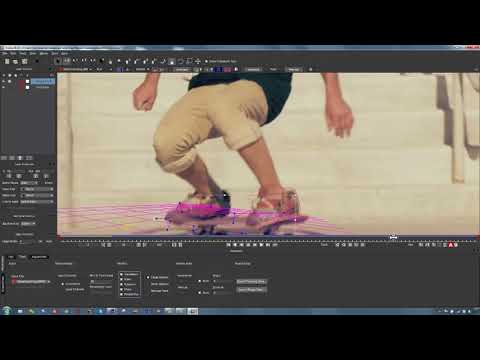
In this tutorial, Mary Poplin uses Mocha and Adobe After Effects to solve a
difficult track and insert a logo onto an obscured skateboard. Export corner
pin or transform data to AE. Imagineer Systems Mocha delivers a powerful
planar tracker bundled free inside of After Effects CS4-CC. This tutorial
features Mocha AE CC and After Effects Note: Mocha AE v3 or Mocha Pro can be
used as well. Footage courtesy of StockFootage.com - www.stockfootage.com
difficult track and insert a logo onto an obscured skateboard. Export corner
pin or transform data to AE. Imagineer Systems Mocha delivers a powerful
planar tracker bundled free inside of After Effects CS4-CC. This tutorial
features Mocha AE CC and After Effects Note: Mocha AE v3 or Mocha Pro can be
used as well. Footage courtesy of StockFootage.com - www.stockfootage.com
Subscribe to our newsletter
Get all the latest news, blog posts and product updates from Boris FX, delivered directly to your inbox.
Welcome!
Thanks for opting-in to our newsletter. You'll receive an email momentarily with your confirmation.
