New render benchmarks put Sapphire 2027 to the test in Premiere, Resolve, and After Effects.
By Brian Fox ·
With Sapphire 2027, we made some significant changes under the hood that deliver killer speed improvements. Naturally, we wanted to see how the numbers stacked up. We put the new release up against Sapphire 2026.5 using some of the most popular Sapphire effects. We tested Premiere, Resolve, and After Effects on Windows and macOS. Linux benchmarks are coming soon!
One result that caught my eye was S_HyperPush. In Premiere on Windows, a render that took 2 minutes and 12 seconds in Sapphire 2026.5 finished in just under a minute in Sapphire 2027. In Premiere on our Mac Studio, S_Beauty went from nearly 13 minutes to 1 minute and 18 seconds. Those are the kinds of differences you notice when you’re waiting on a shot.
Before we look at the rest of the numbers, let’s get into how we tested. With a plugin collection as big as Sapphire, the answer to “How much time will I save?” depends on which effects you use, which host you work in, and which GPU is doing the rendering.
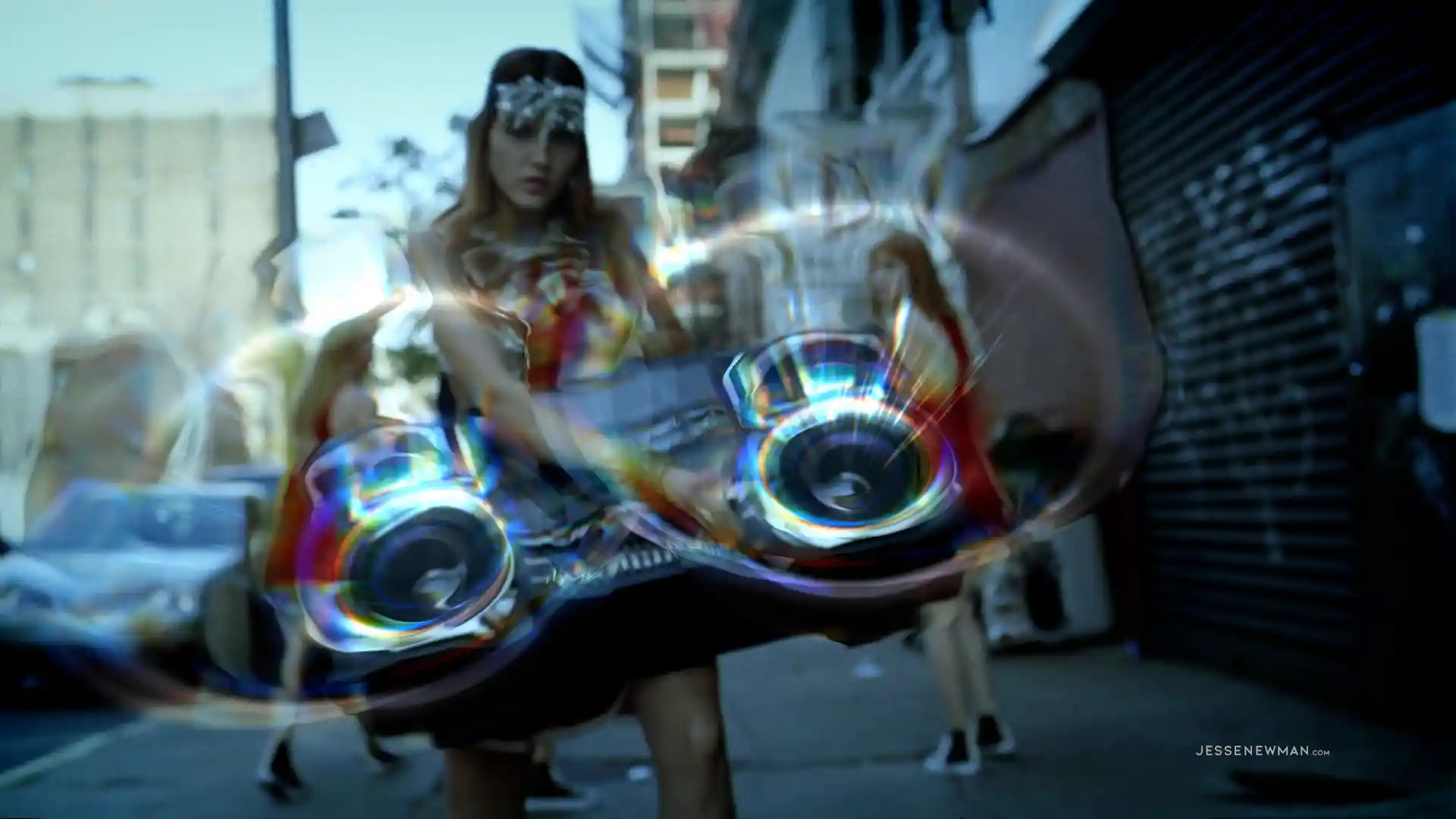
Brian successfully resists the urge to make an AI slop graphic about speed and instead chooses to showcase an epic use of Sapphire Distort by Jesse Newman.
How do you benchmark Sapphire?
Think about two shots on the same timeline. One uses S_Glow to soften the highlights. The other uses S_PrismLens to split and refract the image, add chromatic aberration, and push the distortion. They’re running on the same machine, but each asks Sapphire to do different work. And when you render to disk, the clock includes the time your host spends reading the footage and writing the finished frames. That’s why we timed individual effects and grouped the results by host and GPU.
To keep the tests manageable without tying up all our machines all day, we chose a select group of Sapphire effects. On each setup, we rendered the same shots twice, once with Sapphire 2026.5 and once with Sapphire 2027. For consistency, we used the same list of effects across the setups for each host.
Here’s how to read the charts. If you use After Effects on Windows, look at the After Effects on Windows chart. Each pair of bars shows how long the same comp took to render on the same machine with each version of Sapphire. The Mac project might use the same effect on a shorter clip or footage encoded with a different codec. Comparing those times directly wouldn’t tell you which platform renders faster.
We’d like to run a broader test with the same footage, clip lengths, and settings across hosts and operating systems. For this article, let’s compare apples to apples. Pick the setup closest to yours and see how much render time changed from Sapphire 2026.5 to Sapphire 2027.
We measure performance by how long you wait for a render. If a batch takes 10 minutes in Sapphire 2026.5 and finishes in 4 minutes in Sapphire 2027, you get 6 minutes back. That’s what we mean by 60% less render time. For each setup below, we added up the seconds for the same group of renders in both versions and compared the totals.
If you’re curious about a particular effect, want to deep dive the full data set, or already sick of listening to me ramble on, you can skip ahead to the full results.
Now let’s look at the results. Spoiler alert: Sapphire 2027 is fast.
Combined render time by setupSame effects, same machine, Sapphire 2026.5 vs 2027 · Each row scaled to its own 2026.5 total
Premiere Performance
One detail matters for these tests. Sapphire 2027 adds support for Adobe’s GPU Suite in Premiere. We ran Sapphire 2026.5 with GPU Suite off and Sapphire 2027 with it on. The results reflect that change along with the version upgrade. And the results were big: on the M2 Mac Studio, our 48 selected effects took almost two hours to render in Sapphire 2026.5 and finished in 27 minutes in Sapphire 2027.
Big gains for Premiere
S_PixelSort gave us a good reason to check the clock twice. In Premiere on Windows, it went from 29 minutes and 38 seconds to 3 minutes and 36 seconds. That’s 26 minutes back on a single render. On the Mac Studio, S_PixelSort went from 15 minutes and 24 seconds to 1 minute and 55 seconds, and S_Beauty went from nearly 13 minutes to 1 minute and 18 seconds.
Premiere on WindowsNVIDIA A5000 · GPU Suite off in 2026.5 and on in 2027
On Windows, the 48 selected effects went from 1 hour and 49 minutes to just over 49 minutes, 54.7% less combined render time and nearly an hour saved. The savings showed up on shorter renders, too. S_PrismLens went from 2 minutes and 53 seconds to 1 minute and 42 seconds, and S_UltraZap went from 2 minutes and 18 seconds to 1 minute and 24 seconds.
Premiere on MacM2 Mac Studio · GPU Suite off in 2026.5 and on in 2027 · Selected effects
On the Mac Studio, the same 48 effects took 76.6% less combined render time, dropping from 1 hour and 55 minutes to 27 minutes. An S_FilmBurn render that used to take about a minute and a half finished in 32 seconds. S_HyperPush went from 2 minutes and 47 seconds to 1 minute and 8 seconds, and S_PrismLens cut its render time by more than half.
Resolve Performance
In Resolve, we tested 49 effects across three setups. On Windows, we ran an NVIDIA A5000 on its own and tested a dual-GPU setup with an A5000 and an A6000. On Mac, we used an M2 Ultra Mac Studio.
On the dual-GPU Windows system, combined render time dropped from 19 minutes and 22 seconds to 13 minutes and 45 seconds, 29.0% less. S_UltraGlow took 26 seconds in Sapphire 2026.5 and 13 seconds in Sapphire 2027. S_TextureRidges dropped from 12.47 seconds to 4.87, while S_TVDamage went from 45.03 seconds to 21.38.
Resolve on Windows, single GPUNVIDIA A5000 · Selected effects
You don’t need a second GPU to see a difference, either. On the A5000 alone, combined render time fell 18.9%, from 17 minutes and 25 seconds to 14 minutes and 7 seconds. S_HyperPush took 55% less render time, S_DistortRGB took 46% less, and S_Beauty and S_UltraGlow each came in around 40%.
Resolve on MacM2 Ultra Mac Studio · Selected effects
As a Mac fanboy, I was particularly interested in the M2 Ultra results. Across the 49 effects, combined render time dropped 13.3%, from 16 minutes and 34 seconds to 14 minutes and 22 seconds. S_LensFlare was the one that stood out to me. A shot that took 81.48 seconds in Sapphire 2026.5 finished in 48.86 seconds in Sapphire 2027. That’s nearly 33 seconds back on one flare render.
After Effects Performance
In After Effects, we tested 49 effects across two setups. On Windows, we used the same NVIDIA A5000. On Mac, we used my MacBook Pro with an M4 Pro chip.
After Effects on WindowsNVIDIA A5000 · Longer comps · Selected effects
In After Effects on Windows, S_PrismLens went from 3 minutes and 39 seconds to 2 minutes and 21 seconds. S_HyperPush went from 3 minutes and 2 seconds to 1 minute and 47 seconds. Between those two comps alone, that’s more than two and a half minutes saved. Across the 49 selected Windows comps, combined render time dropped 10.2%, from 1 hour and 29 minutes to 1 hour and 20 minutes, exactly nine minutes saved.
After Effects on Mac16-inch MacBook Pro, M4 Pro, 48 GB · 209 UHD frames per comp · Selected effects
Across the 49 selected effects we tested on After Effects in macOS, combined render time dropped 6.7%, from 21 minutes and 14 seconds to 19 minutes and 48 seconds. S_LensFlare caught my eye, for good reason. It went from 33.71 seconds to 19.86 seconds, or 41% less render time. One caveat here: the S_LensFlare preset matters. This test was based on the default, but I can imagine some of the more complex flares might show different results. S_Aurora dropped from 18.97 seconds to 12.17, and S_BlurMotion from 23.97 seconds to 15.76.
What does that mean for your next render?
For me, it comes back to that S_UltraGlow shot in Resolve. Say I’m working on a neon sign and I want to see how the glow looks hugging the letters, then how it looks spilling onto the wall. In Sapphire 2026.5, one render took 26 seconds. In Sapphire 2027, it took 13. I can put both looks side by side for the same render time I used to spend on one.
That’s why all of us at Boris FX are obsessed with optimizing our products for speed. We want you to be able to look at a shot, think, “What if I pushed it a little further?” and have the time to find out.
How much faster is Sapphire 2027 than Sapphire 2026.5?
It depends on your host and hardware. In our tests, combined render time dropped 54.7% in Premiere on Windows and 76.6% in Premiere on an M2 Mac Studio, 13.3% to 29.0% across three Resolve setups, and 10.2% on Windows and 6.7% on a MacBook Pro in After Effects.
Does Sapphire 2027 support Adobe’s GPU Suite in Premiere?
Yes. Sapphire 2027 adds support for Adobe’s GPU Suite in Premiere. In our Premiere tests, Sapphire 2026.5 ran with GPU Suite off and Sapphire 2027 ran with it on.
Which hosts and hardware did you test?
Premiere, Resolve, and After Effects on Windows and macOS. The setups include Windows workstations with an NVIDIA A5000 and a dual A5000 + A6000 system, an M2 Mac Studio, an M2 Ultra Mac Studio, and a 16-inch MacBook Pro with an M4 Pro chip.
How do you calculate “less render time”?
We add up the render times for the same effects in both versions and compare the totals: (Sapphire 2026.5 seconds − Sapphire 2027 seconds) ÷ Sapphire 2026.5 seconds.
Where can I see the results for a specific effect?
The full results below list 341 side-by-side renders, with the Sapphire 2026.5 and Sapphire 2027 times for every effect on every setup.
Full results
Every effect, every setup
341 side-by-side renders of Sapphire 2026.5 and Sapphire 2027 across Premiere, Resolve, and After Effects on Windows and Mac.
Summary
Combined render time by setup
For each setup, we added up the render times for every effect in both versions and compared the totals. Projects, footage, and clip lengths differ between setups, so compare within a row, not across rows.
Host and setup
Effects
Sapphire 2026.5
Sapphire 2027
Time saved
Less render time
PremiereWindows, NVIDIA A5000
48
1h 48m 33s
49m 08s
59m 25s
54.7%
PremiereM2 Mac Studio
48
1h 55m 30s
27m 03s
1h 28m 28s
76.6%
ResolveWindows, NVIDIA A5000
49
17m 25s
14m 07s
3m 17s
18.9%
ResolveWindows, NVIDIA A5000 + A6000
49
19m 22s
13m 45s
5m 37s
29.0%
ResolveM2 Ultra Mac Studio
49
16m 34s
14m 22s
2m 12s
13.3%
After EffectsWindows, NVIDIA A5000
49
1h 28m 36s
1h 19m 36s
9m 00s
10.2%
After Effects16-inch MacBook Pro, M4 Pro
49
21m 14s
19m 48s
1m 25s
6.7%
Method
How we tested
Like for like
On each setup, we rendered the same shots twice, once with Sapphire 2026.5 and once with Sapphire 2027, on the same machine and in the same host. Each host uses one list of effects across its setups.
How we calculate it
Less render time = (2026.5 seconds − 2027 seconds) ÷ 2026.5 seconds. Setup totals use the summed seconds of every effect, not an average of percentages.
Premiere GPU Suite
Sapphire 2027 adds support for Adobe’s GPU Suite in Premiere. We ran Sapphire 2026.5 with GPU Suite off and Sapphire 2027 with it on, so the Premiere results reflect that change along with the version upgrade.
PremiereWindows, NVIDIA A5000
Sapphire 2026.5 with GPU Suite off, Sapphire 2027 with GPU Suite on
Sapphire effect ↑
2026.5 (sec)
2027 (sec)
Seconds saved
Less render time
S_AdvancedDefocus
52.24
55.00
−2.76
−5.3%
S_Aurora
43.79
43.18
0.61
1.4%
S_Beauty
101.56
65.61
35.96
35.4%
S_Blur
34.96
30.44
4.52
12.9%
S_BlurMotion
43.23
41.67
1.56
3.6%
S_BokehLights
115.51
92.66
22.85
19.8%
S_Caustics
1,007.03
123.30
883.73
87.8%
S_Clouds
36.23
33.91
2.33
6.4%
S_DigitalDamage
648.79
124.03
524.76
80.9%
S_Dissolve
47.02
47.03
−0.02
−<0.1%
S_Distort
47.54
46.67
0.88
1.8%
S_DistortRGB
55.76
36.33
19.43
34.9%
S_EdgeBlur
47.07
32.76
14.31
30.4%
S_EdgeRays
48.11
46.98
1.13
2.3%
S_Emboss
34.48
29.75
4.72
13.7%
S_FilmBurn
134.21
94.35
39.86
29.7%
S_FilmDamage
69.97
56.58
13.38
19.1%
S_Glow
39.84
36.12
3.72
9.3%
S_GradientRadial
34.63
28.84
5.79
16.7%
S_HalfTone
37.20
27.73
9.47
25.5%
S_HyperPush
132.43
59.95
72.48
54.7%
S_InfiniteZoom
78.82
54.59
24.23
30.7%
S_JpegDamage
221.90
186.88
35.01
15.8%
S_Kaleido
45.42
45.51
−0.10
−0.2%
S_LaserBeam
57.74
55.87
1.87
3.2%
S_LensFlare
163.87
166.91
−3.04
−1.9%
S_LightLeak
48.47
35.28
13.19
27.2%
S_Median
198.17
166.36
31.81
16.1%
S_ParallaxStrips
47.81
47.44
0.37
0.8%
S_PixelSort
1,778.33
215.87
1,562.46
87.9%
S_PrismLens
173.07
102.15
70.93
41.0%
S_RackDefocus
51.22
55.70
−4.49
−8.8%
S_Rays
53.87
54.43
−0.56
−1.0%
S_Shake
36.49
33.39
3.10
8.5%
S_Sharpen
4.37
4.53
−0.15
−3.5%
S_Streaks
57.41
48.24
9.17
16.0%
S_TextureRidges
47.73
31.82
15.91
33.3%
S_TVDamage
99.61
67.82
31.80
31.9%
S_UltraGlow
74.40
50.40
24.00
32.3%
S_UltraGrain
32.92
31.36
1.56
4.7%
S_UltraZap
138.13
83.70
54.43
39.4%
S_Vignette
39.80
27.73
12.07
30.3%
S_VintageColor2Strip
37.36
28.36
8.99
24.1%
S_WarpBubble
52.67
55.54
−2.87
−5.5%
S_WarpChroma
39.10
34.54
4.56
11.7%
S_WarpPuff
47.19
47.67
−0.48
−1.0%
S_WhipLash
40.93
32.54
8.39
20.5%
S_Zebrafy
35.00
30.71
4.29
12.3%
Total, 48 effects
6,513.36
2,948.20
3,565.17
54.7%
PremiereM2 Mac Studio
Sapphire 2026.5 with GPU Suite off, Sapphire 2027 with GPU Suite on
Sapphire effect ↑
2026.5 (sec)
2027 (sec)
Seconds saved
Less render time
S_AdvancedDefocus
53.43
31.11
22.32
41.8%
S_Aurora
34.62
14.49
20.13
58.1%
S_Beauty
772.51
77.85
694.65
89.9%
S_Blur
28.94
9.51
19.42
67.1%
S_BlurMotion
43.85
16.73
27.13
61.9%
S_BokehLights
139.48
81.80
57.68
41.4%
S_Caustics
508.63
46.00
462.63
91.0%
S_Clouds
29.93
6.30
23.64
79.0%
S_DigitalDamage
211.22
28.12
183.11
86.7%
S_Dissolve
35.34
6.92
28.42
80.4%
S_Distort
69.75
30.49
39.26
56.3%
S_DistortRGB
60.74
20.71
40.03
65.9%
S_EdgeBlur
32.40
12.10
20.31
62.7%
S_EdgeRays
39.46
12.76
26.70
67.7%
S_Emboss
29.69
5.10
24.58
82.8%
S_FilmBurn
91.33
32.09
59.24
64.9%
S_FilmDamage
64.77
39.00
25.78
39.8%
S_Glow
29.74
11.52
18.22
61.3%
S_GradientRadial
29.37
4.49
24.88
84.7%
S_HalfTone
32.21
4.70
27.51
85.4%
S_HyperPush
166.59
68.32
98.28
59.0%
S_InfiniteZoom
1,833.39
161.68
1,671.71
91.2%
S_JpegDamage
104.65
41.03
63.63
60.8%
S_Kaleido
61.19
30.65
30.54
49.9%
S_LaserBeam
44.82
14.86
29.96
66.9%
S_LensFlare
110.87
76.93
33.95
30.6%
S_LightLeak
34.44
12.39
22.05
64.0%
S_Median
185.18
144.66
40.52
21.9%
S_ParallaxStrips
155.61
47.73
107.87
69.3%
S_PixelSort
923.87
115.46
808.41
87.5%
S_PrismLens
219.99
104.80
115.19
52.4%
S_RackDefocus
62.41
35.28
27.13
43.5%
S_Rays
40.68
20.34
20.35
50.0%
S_Shake
39.09
9.87
29.22
74.8%
S_Sharpen
2.72
2.70
0.02
0.8%
S_Streaks
42.17
18.60
23.57
55.9%
S_TextureRidges
38.87
9.88
29.00
74.6%
S_TVDamage
109.10
45.03
64.07
58.7%
S_UltraGlow
49.14
28.90
20.24
41.2%
S_UltraGrain
29.26
7.18
22.08
75.5%
S_UltraZap
59.00
28.13
30.87
52.3%
S_Vignette
30.41
4.92
25.49
83.8%
S_VintageColor2Strip
16.03
10.03
6.00
37.4%
S_WarpBubble
58.65
31.77
26.87
45.8%
S_WarpChroma
37.05
11.70
25.35
68.4%
S_WarpPuff
69.17
30.43
38.74
56.0%
S_WhipLash
40.88
12.60
28.28
69.2%
S_Zebrafy
27.73
5.17
22.57
81.4%
Total, 48 effects
6,930.36
1,622.78
5,307.57
76.6%
ResolveWindows, NVIDIA A5000
Sapphire effect ↑
2026.5 (sec)
2027 (sec)
Seconds saved
Less render time
S_AdvancedDefocus
19.47
16.91
2.56
13.2%
S_Aurora
8.93
7.41
1.52
17.0%
S_Beauty
28.43
16.93
11.50
40.5%
S_Blur
5.42
5.41
0.00
0.1%
S_BlurMotion
102.95
85.93
17.02
16.5%
S_BokehLights
34.42
26.94
7.48
21.7%
S_Clouds
6.93
4.45
2.48
35.8%
S_DigitalDamage
22.42
22.93
−0.51
−2.3%
S_Dissolve
3.91
3.50
0.41
10.4%
S_Distort
8.94
6.91
2.03
22.7%
S_DistortRGB
12.91
6.92
5.99
46.4%
S_EdgeBlur
8.91
6.93
1.98
22.2%
S_EdgeRays
10.43
7.45
2.98
28.6%
S_Emboss
4.91
3.91
1.00
20.4%
S_FilmBurn
44.94
30.93
14.01
31.2%
S_FilmDamage
26.41
21.99
4.42
16.7%
S_Glow
7.40
5.92
1.48
20.0%
S_GradientRadial
5.41
3.92
1.49
27.6%
S_Grain
9.91
8.40
1.51
15.2%
S_HalfTone
6.40
3.44
2.96
46.3%
S_HyperPush
33.44
14.91
18.53
55.4%
S_InfiniteZoom
19.91
13.41
6.50
32.7%
S_Kaleido
8.40
6.42
1.99
23.6%
S_LaserBeam
13.45
10.40
3.04
22.6%
S_LensFlare
105.94
93.09
12.84
12.1%
S_LightLeak
11.91
8.94
2.97
25.0%
S_Median
102.92
102.52
0.40
0.4%
S_OCIOTransform
8.44
8.41
0.03
0.3%
S_ParallaxStrips
9.41
7.99
1.42
15.1%
S_PixelSort
39.95
35.43
4.51
11.3%
S_PrismLens
63.46
40.48
22.98
36.2%
S_RackDefocus
9.90
10.44
−0.54
−5.4%
S_Rays
10.41
8.92
1.50
14.4%
S_RomanTile
51.45
64.05
−12.60
−24.5%
S_Shake
5.92
4.58
1.34
22.6%
S_Sharpen
15.43
14.92
0.51
3.3%
S_Streaks
9.91
6.92
2.99
30.1%
S_TextureRidges
9.90
5.98
3.93
39.7%
S_TVDamage
31.94
18.43
13.52
42.3%
S_UltraGlow
21.45
12.91
8.54
39.8%
S_UltraGrain
4.95
4.91
0.04
0.8%
S_UltraZap
26.93
19.00
7.93
29.5%
S_Vignette
5.91
3.92
2.00
33.8%
S_VintageColor2Strip
5.90
4.02
1.88
31.9%
S_WarpBubble
10.41
8.92
1.49
14.3%
S_WarpChroma
6.92
4.93
2.00
28.9%
S_WarpPuff
8.51
6.43
2.07
24.4%
S_WhipLash
6.61
4.91
1.70
25.7%
S_Zebrafy
5.44
4.14
1.30
23.9%
Total, 49 effects
1,044.55
847.43
197.12
18.9%
ResolveWindows, NVIDIA A5000 + A6000
Sapphire effect ↑
2026.5 (sec)
2027 (sec)
Seconds saved
Less render time
S_AdvancedDefocus
15.48
12.50
2.98
19.2%
S_Aurora
9.95
6.37
3.57
35.9%
S_Beauty
32.03
16.93
15.10
47.1%
S_Blur
5.21
5.00
0.21
4.0%
S_BlurMotion
104.92
89.91
15.01
14.3%
S_BokehLights
44.99
33.91
11.08
24.6%
S_Clouds
7.40
3.92
3.48
47.0%
S_DigitalDamage
20.39
18.90
1.49
7.3%
S_Dissolve
4.60
3.88
0.72
15.7%
S_Distort
10.03
6.40
3.63
36.2%
S_DistortRGB
16.37
7.39
8.98
54.8%
S_EdgeBlur
9.88
6.45
3.43
34.7%
S_EdgeRays
13.59
8.48
5.11
37.6%
S_Emboss
4.87
3.92
0.95
19.5%
S_FilmBurn
53.45
31.88
21.58
40.4%
S_FilmDamage
29.47
19.43
10.04
34.1%
S_Glow
8.37
5.36
3.02
36.0%
S_GradientRadial
6.01
3.91
2.10
35.0%
S_Grain
13.00
9.90
3.11
23.9%
S_HalfTone
7.47
3.88
3.59
48.1%
S_HyperPush
42.51
16.94
25.57
60.1%
S_InfiniteZoom
25.92
15.38
10.53
40.6%
S_Kaleido
9.39
6.44
2.96
31.5%
S_LaserBeam
15.92
11.42
4.51
28.3%
S_LensFlare
105.88
83.92
21.95
20.7%
S_LightLeak
12.95
8.89
4.06
31.4%
S_Median
110.87
104.93
5.94
5.4%
S_OCIOTransform
5.89
5.87
0.02
0.3%
S_ParallaxStrips
10.52
7.39
3.13
29.7%
S_PixelSort
46.39
36.90
9.49
20.5%
S_PrismLens
78.92
47.39
31.53
40.0%
S_RackDefocus
11.39
10.39
1.00
8.8%
S_Rays
12.94
8.92
4.02
31.0%
S_RomanTile
38.54
37.36
1.19
3.1%
S_Shake
7.01
3.98
3.03
43.2%
S_Sharpen
17.38
13.92
3.46
19.9%
S_Streaks
11.90
6.39
5.51
46.3%
S_TextureRidges
12.47
4.87
7.60
60.9%
S_TVDamage
45.03
21.38
23.65
52.5%
S_UltraGlow
26.00
13.04
12.96
49.8%
S_UltraGrain
4.90
4.37
0.52
10.7%
S_UltraZap
33.48
20.36
13.11
39.2%
S_Vignette
6.47
3.85
2.62
40.5%
S_VintageColor2Strip
7.41
3.88
3.53
47.6%
S_WarpBubble
12.99
9.90
3.08
23.7%
S_WarpChroma
8.06
4.38
3.68
45.6%
S_WarpPuff
10.93
5.95
4.98
45.6%
S_WhipLash
7.47
4.36
3.10
41.6%
S_Zebrafy
4.87
3.92
0.94
19.4%
Total, 49 effects
1,161.83
824.98
336.84
29.0%
ResolveM2 Ultra Mac Studio
Sapphire effect ↑
2026.5 (sec)
2027 (sec)
Seconds saved
Less render time
S_AdvancedDefocus
25.49
23.49
2.00
7.8%
S_Aurora
4.56
4.37
0.19
4.1%
S_Beauty
24.37
22.35
2.02
8.3%
S_Blur
3.73
3.65
0.08
2.2%
S_BlurMotion
217.58
191.04
26.54
12.2%
S_BokehLights
61.63
55.36
6.27
10.2%
S_Clouds
2.61
2.35
0.26
9.9%
S_DigitalDamage
10.49
8.86
1.64
15.6%
S_Dissolve
2.33
2.35
−0.02
−0.8%
S_Distort
8.99
8.38
0.62
6.8%
S_DistortRGB
8.53
6.36
2.17
25.4%
S_EdgeBlur
4.43
4.37
0.07
1.5%
S_EdgeRays
4.60
3.87
0.74
16.0%
S_Emboss
2.33
2.35
−0.02
−0.7%
S_FilmBurn
26.47
19.84
6.63
25.0%
S_FilmDamage
9.49
8.86
0.64
6.7%
S_Glow
3.60
3.86
−0.26
−7.2%
S_GradientRadial
2.86
2.35
0.51
17.8%
S_Grain
4.41
3.89
0.52
11.9%
S_HalfTone
3.08
1.83
1.25
40.6%
S_HyperPush
28.96
18.33
10.63
36.7%
S_InfiniteZoom
43.99
43.87
0.12
0.3%
S_Kaleido
8.99
8.35
0.64
7.1%
S_LaserBeam
7.57
6.02
1.56
20.6%
S_LensFlare
81.48
48.86
32.62
40.0%
S_LightLeak
5.97
5.37
0.61
10.2%
S_Median
96.51
96.86
−0.35
−0.4%
S_OCIOTransform
2.13
2.33
−0.20
−9.5%
S_ParallaxStrips
38.01
37.87
0.14
0.4%
S_PixelSort
19.97
19.97
0.00
0.0%
S_PrismLens
55.38
39.26
16.12
29.1%
S_RackDefocus
14.99
14.85
0.13
0.9%
S_Rays
5.98
5.35
0.63
10.6%
S_RomanTile
31.51
31.87
−0.36
−1.1%
S_Shake
3.91
3.38
0.52
13.4%
S_Sharpen
9.99
9.86
0.12
1.2%
S_Streaks
5.52
4.85
0.67
12.1%
S_TextureRidges
4.96
3.36
1.60
32.2%
S_TVDamage
32.48
23.98
8.50
26.2%
S_UltraGlow
10.84
10.19
0.65
6.0%
S_UltraGrain
2.61
2.88
−0.27
−10.2%
S_UltraZap
14.56
13.37
1.19
8.1%
S_Vignette
2.86
2.41
0.45
15.6%
S_VintageColor2Strip
4.03
2.74
1.29
32.0%
S_WarpBubble
9.99
8.98
1.01
10.1%
S_WarpChroma
4.06
3.55
0.51
12.5%
S_WarpPuff
9.00
7.99
1.01
11.2%
S_WhipLash
3.89
3.38
0.52
13.3%
S_Zebrafy
2.61
2.13
0.47
18.2%
Total, 49 effects
994.32
861.96
132.36
13.3%
After EffectsWindows, NVIDIA A5000
Sapphire effect ↑
2026.5 (sec)
2027 (sec)
Seconds saved
Less render time
S_AdvancedDefocus
92
103
−11
−12.0%
S_Aurora
57
56
1
1.8%
S_Beauty
132
95
37
28.0%
S_Blur
76
71
5
6.6%
S_BlurMotion
87
90
−3
−3.4%
S_BokehLights
146
139
7
4.8%
S_Caustics
86
90
−4
−4.7%
S_DigitalDamage
93
96
−3
−3.2%
S_Dissolve
92
91
1
1.1%
S_Distort
88
87
1
1.1%
S_DistortRGB
89
85
4
4.5%
S_EdgeBlur
84
76
8
9.5%
S_EdgeRays
88
86
2
2.3%
S_Emboss
73
70
3
4.1%
S_FilmBurn
175
137
38
21.7%
S_FilmDamage
102
89
13
12.7%
S_Glow
86
74
12
14.0%
S_GradientRadial
62
61
1
1.6%
S_Grain
92
87
5
5.4%
S_HalfTone
77
70
7
9.1%
S_HyperPush
182
107
75
41.2%
S_InfiniteZoom
115
92
23
20.0%
S_JpegDamage
65
70
−5
−7.7%
S_Kaleido
87
85
2
2.3%
S_LaserBeam
99
95
4
4.0%
S_LensFlare
223
213
10
4.5%
S_LightLeak
87
80
7
8.0%
S_Median
211
199
12
5.7%
S_ParallaxStrips
93
86
7
7.5%
S_PixelSort
210
199
11
5.2%
S_PrismLens
219
141
78
35.6%
S_RackDefocus
90
88
2
2.2%
S_Rays
90
88
2
2.2%
S_RomanTile
198
193
5
2.5%
S_Shake
80
80
0
0.0%
S_Sharpen
106
92
14
13.2%
S_Streaks
92
86
6
6.5%
S_TextureRidges
76
65
11
14.5%
S_TVDamage
138
108
30
21.7%
S_UltraGlow
164
133
31
18.9%
S_UltraGrain
73
73
0
0.0%
S_UltraZap
139
107
32
23.0%
S_Vignette
82
69
13
15.9%
S_VintageColor2Strip
82
70
12
14.6%
S_WarpBubble
106
96
10
9.4%
S_WarpChroma
79
78
1
1.3%
S_WarpPuff
98
85
13
13.3%
S_WhipLash
81
75
6
7.4%
S_Zebrafy
74
70
4
5.4%
Total, 49 effects
5,316
4,776
540
10.2%
After Effects16-inch MacBook Pro, M4 Pro
Sapphire effect ↑
2026.5 (sec)
2027 (sec)
Seconds saved
Less render time
S_AdvancedDefocus
20.15
14.52
5.64
28.0%
S_Aurora
18.97
12.17
6.80
35.9%
S_Beauty
43.64
43.83
−0.20
−0.5%
S_Blur
20.10
15.11
4.99
24.8%
S_BlurMotion
23.97
15.76
8.21
34.3%
S_BokehLights
29.16
21.95
7.20
24.7%
S_Caustics
23.73
25.27
−1.55
−6.5%
S_DigitalDamage
22.45
17.99
4.46
19.9%
S_Dissolve
19.06
14.48
4.57
24.0%
S_Distort
20.88
16.69
4.18
20.0%
S_DistortRGB
16.00
16.06
−0.05
−0.3%
S_EdgeBlur
20.65
17.48
3.17
15.4%
S_EdgeRays
20.87
17.75
3.12
14.9%
S_Emboss
15.15
14.71
0.44
2.9%
S_FilmBurn
36.61
32.79
3.82
10.4%
S_FilmDamage
16.77
15.11
1.66
9.9%
S_Glow
16.73
17.57
−0.84
−5.0%
S_GradientRadial
9.70
15.20
−5.51
−56.8%
S_Grain
14.17
14.54
−0.37
−2.6%
S_HalfTone
16.25
15.78
0.47
2.9%
S_HyperPush
34.27
26.51
7.76
22.6%
S_InfiniteZoom
90.57
90.76
−0.19
−0.2%
S_JpegDamage
10.06
8.93
1.13
11.2%
S_Kaleido
20.95
22.01
−1.07
−5.1%
S_LaserBeam
16.67
18.26
−1.59
−9.6%
S_LensFlare
33.71
19.86
13.85
41.1%
S_LightLeak
15.20
16.85
−1.65
−10.9%
S_Median
33.66
33.39
0.27
0.8%
S_ParallaxStrips
18.58
18.71
−0.13
−0.7%
S_PixelSort
64.72
65.30
−0.58
−0.9%
S_PrismLens
87.86
82.80
5.07
5.8%
S_RackDefocus
17.13
17.19
−0.05
−0.3%
S_Rays
18.58
18.00
0.59
3.2%
S_RomanTile
76.80
80.25
−3.45
−4.5%
S_Shake
15.47
18.35
−2.88
−18.6%
S_Sharpen
28.70
29.14
−0.44
−1.5%
S_Streaks
17.60
19.74
−2.14
−12.1%
S_TextureRidges
16.26
17.12
−0.86
−5.3%
S_TVDamage
30.99
31.06
−0.07
−0.2%
S_UltraGlow
38.82
35.93
2.89
7.4%
S_UltraGrain
17.11
16.51
0.60
3.5%
S_UltraZap
30.61
27.06
3.55
11.6%
S_Vignette
19.25
16.05
3.20
16.6%
S_VintageColor2Strip
9.99
9.80
0.19
1.9%
S_WarpBubble
16.67
16.15
0.52
3.1%
S_WarpChroma
17.65
15.92
1.73
9.8%
S_WarpPuff
17.92
16.74
1.18
6.6%
S_WhipLash
19.00
14.75
4.25
22.4%
S_Zebrafy
13.78
10.52
3.26
23.7%
Total, 49 effects
1,273.57
1,188.41
85.17
6.7%
Source: Boris FX internal render tests comparing Sapphire 2026.5 and Sapphire 2027. Times are wall-clock render times in seconds. Your results will vary with project, footage, settings, and hardware.
Not ready to purchase yet? Get started with Sapphire now
Need some hands-on time with Sapphire before purchasing? No problem. Simply download the Boris FX Hub and install Sapphire. After installation, Sapphire will run in a fully functional watermarked trial, perfect for auditioning all the effects.
Get all the latest news, blog posts and product updates from Boris FX, delivered directly to your inbox.
Welcome!
Thanks for opting-in to our newsletter. You'll receive an email momentarily with your confirmation.
You’re a smart cookie.
We use cookies to improve your experience and tailor content to your preferences on our website. However, we also respect your privacy and give you the choice to control how we use cookies. Please select your cookie preferences.
Your consent and the cookie policy apply to all websites of “https://borisfx.com/”.