Color Mixer
Description
The Color Mixer allows you to independently adjust the Hue, Saturation, and Luminance of eight specific color bands within an image. Adjustments are selective, for instance, changing the Reds will only affect pixels whose hue falls within the red range, leaving all other colors untouched. Colors that sit near the boundary between two bands are blended smoothly so there are no harsh transitions.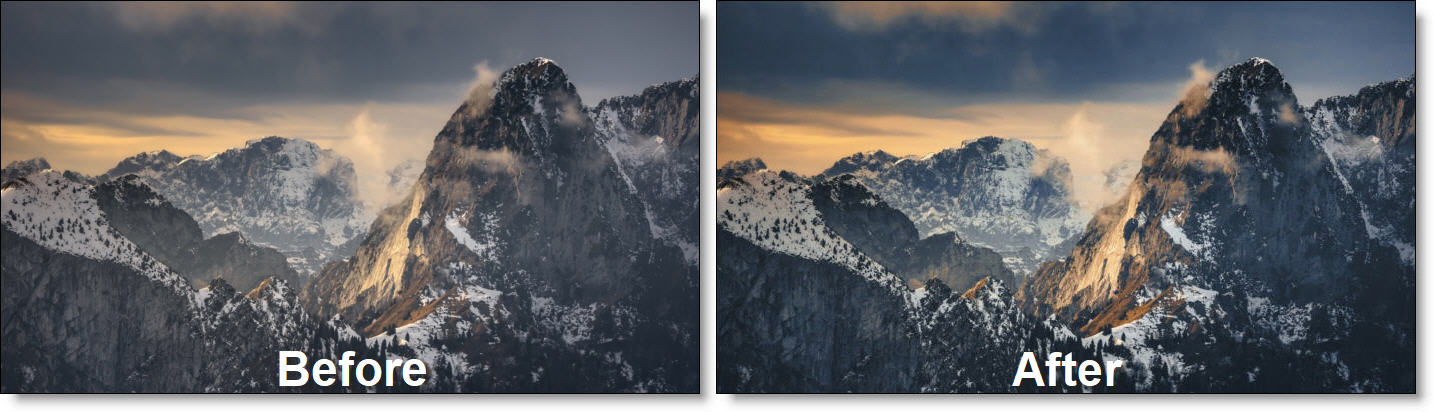
Category
Color.
Controls
Presets
To select a preset, pick one from the Presets window.
Hue / Saturation / Luminance
The Hue, Saturation or Luminance of the selected color can be adjusted.
Colors
The mixer divides the hue spectrum into eight color bands which can be adjusted in each of the Hue, Saturation or Luminance groups. Each color is centered on a reference hue and has a defined influence zone--pixels whose hue falls within that zone are affected by that color's slider.
Red
Adjusts red values. Red covers saturated reds such as roses, warning signs, and lipstick.
Orange
Adjusts orange values. Orange is a narrower band that targets warm tones like autumn leaves, fruit, and many skin tones.
Yellow
Adjusts yellow values. Yellow covers sunlit and golden tones including sand, straw, and bright foliage.
Green
Adjusts green values. Green spans natural greens such as grass, trees, and vegetation.
Aqua
Adjusts aqua values. Aqua is a narrower band covering the cyan-turquoise range, typical of shallow water, ice, and clear skies near the horizon.
Blue
Adjusts blue values. Blue covers the broader blue range including deep sky, ocean, and cool shadows.
Purple
Adjusts purple values. Purple is a narrower band sitting between blue and magenta, covering lavender, dusk tones, and cool shadows.
Magenta
Adjusts magenta values. Magenta rounds out the spectrum with vivid pinks and magentas found in flowers, neon lights, and certain skin tones.
Note on narrow bands: Orange, Aqua, and Purple have a tighter influence zone than the other bands. This prevents them from bleeding into their neighboring primaries (Red/Yellow, Green/Blue, Blue/Magenta). As a result, you may need to apply larger slider values to see a strong effect on colors in these ranges.