 Marco Sebastiano Alessi |
February 24, 2026
Marco Sebastiano Alessi |
February 24, 2026


If one of your goals is to start making music, you’re going to need beginner-friendly music production software!
In today's article, we'll explore the best music production software for beginners to help you make what is probably the most important decision for your creative journey, with options for every budget, system, and workflow.
Let’s dive in!
What is Music Production Software or a DAW?
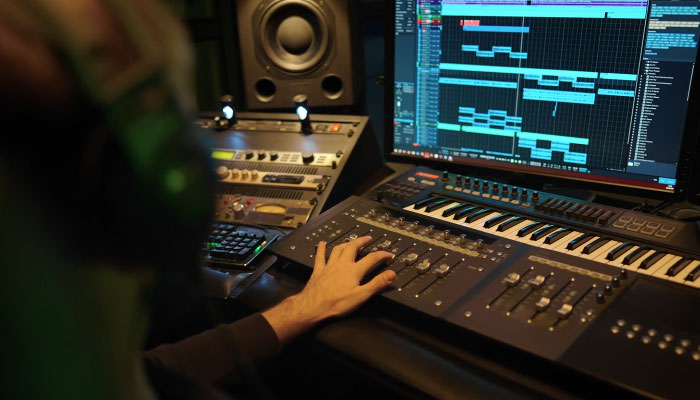
A music production software is called a DAW, which stands for Digital Audio Workstation. DAWs are computer software that allow you to record, arrange, edit, and produce music on your computer. It works as a virtual studio where you can record multitrack audio using microphones, connect your electric and bass guitars via an audio interface to record them, create beats and melodies with virtual instruments, and add all kinds of post-production effects to your audio tracks for mixing and mastering.
A digital audio workstation can handle every step of music production, from recording to mixing and mastering your songs. Many of them offer everything you need out of the box, and others allow you to expand their utility with third-party plugins. Although you only need a computer and a DAW, many DAWs let you use external hardware for music production.
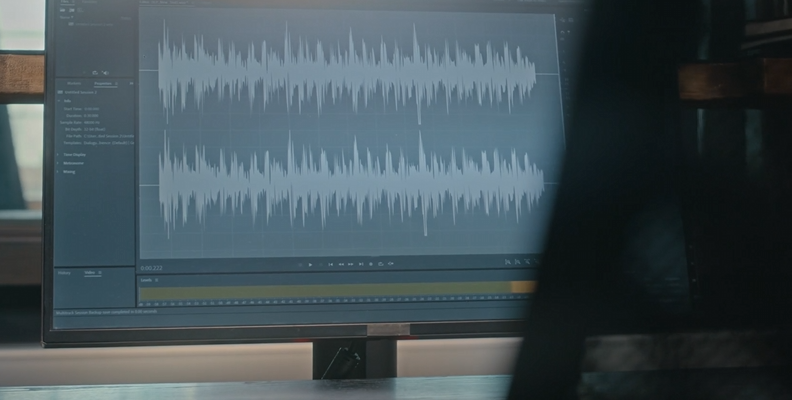
There’s some confusion between a digital audio workstation and an audio editor. So, let’s get that out of the way. Their main difference lies in their primary function: DAWs are all-in-one audio and music-making software, whereas audio editors such as Adobe Audition or Audacity focus on detailed audio track manipulation.
DAWs have audio editing features, but audio editors are limited in audio production. For example, you cannot use virtual instruments or MIDI sequencing, and mixing tools are more limited than in a DAW. However, I've seen some people record and mix demos using only audio editing tools, but I wouldn't start music production this way, especially when there are so many free software choices out there.
How to Choose the Right DAW as a Beginner
Finding the right DAW means different things to different people. We all have different needs, different goals, and different setups. To help you narrow down what’s truly important for you, here’s a list of the things to consider before purchasing or downloading a DAW.
Operating System
The first question is: are you using a Mac, a Windows PC, or Linux? Most of the big names in the industry are multiplatform (at least for Mac and Windows). However, there are still great, beginner-friendly options that are available only on a specific operating system. You can find this information on the manufacturer's website, and I'll specify the operating system for each option on our list.
Price
Budget is the second and often final decision on which DAW to get. Luckily for you, there is a wide range of DAW pricing, with options for perpetual licenses and monthly/annual subscriptions. Many paid DAWs offer free trials and intro or lite versions that let you get started for less. When looking for the right DAW, think ahead and decide whether you prefer to make a single upfront investment, the convenience of monthly payments, or starting with something free with the option to upgrade later.
Upgrade Path
Another important consideration is future upgrades. Most DAWs charge an upgrade fee when a new major version is released or require you to pay full price for it. However, others include the upgrade in their subscriptions, or, as with FL Studio, you get free lifetime updates when you buy it, which makes it a good long-term investment.
Ease of Use
Some DAWs offer a user interface that might look unnecessarily complex, especially for beginners. My suggestion: make the most of free trials and video tutorials until you get a clear understanding of how the DAW works. Just remember that every DAW has its learning curve, but some are steeper than others.
Workflow Style
How do you like to work? Do you like the classic linear timeline to start recording from start to finish, or prefer a non-linear workflow to start mixing clips and loops to make the arrangement? Traditionally, DAWs offered only a linear workflow, but now tools like Ableton Live and FL Studio feature a non-linear workflow that offers a different way to approach music production. In recent years, DAWs have introduced a non-linear mode to offer more options and compete with emerging DAWs.
Music Genre
Theoretically, you can make any music anywhere, but some DAWs have features that work best for specific types of music. For example, FL Studio has a great sequencer and piano roll, which make drum programming fast and easy for hip-hop, trap, or EDM beats, while Ableton Live is optimized for electronic and looping live sessions.
Learning and Support
Learning music production can be a long and hard journey, so make sure there's an active online community you can rely on. Plus, check out the developers' website or the community for guides and troubleshooting tutorials, and make sure the customer service is reliable and replies promptly.
Best Music Production Software for Beginners in 2026
Boris FX Music Studio
Platform: Windows PC
Overview:
Boris FX Music Studio (previously MAGIX Music Studio) is a beginner-friendly digital audio workstation for composing, recording, mixing, and mastering your own music. It features a creative toolkit for new music producers and musicians. Create music from concept to the final mastered song.
Music Studio is the perfect first step for beginners because its user interface is intuitive and easy to navigate, without overwhelming you, even if you have never touched a DAW or audio editor before. It features a variety of virtual instruments and sample loops that let you start making music immediately after installation, without external plugins or hardware.
With Music Studio, you can record in multitrack simultaneously, and the object editor lets you edit individual clips on a track to apply effects, automation, and pitch correction without affecting the entire track. The mixing and mastering tools are easy to find in the plugin browser and include everything you need as a beginner, along with the wizardFX and essentialFX effect suites to polish your songs.
Music Studio is among the most affordable options for beginner music producers, with a perpetual license for $95 or an annual subscription for $35 ($2.92 per month), and offers a 15-day trial to try before purchasing. With Music Studio, you have a straightforward upgrade path to Samplitude 2025, which provides more professional tools while maintaining the same core features and project compatibility.
Pros:
Easy to use
Quick start templates
Affordable
Good collection of stock plugins
Customizable UI to suit your needs
VST plugins support
Cons:
Only available on Windows computers
GarageBand
Platform: Mac
Overview:
GarageBand is a no-brainer choice for Mac and iOS users. It's free to download on the App Store for both iOS devices and Mac, and its integration is seamless, allowing you to continue learning and producing music on the go. It has one of the best onboarding experiences, with a project chooser, since the first time you open GarageBand, to avoid the blank-screen paralysis.
This free music production software is perfect for beginners, not only because of its price but also because of its simplicity and intuitive design. The user interface shows only the essentials you need to record and produce music. The built-in Quick Help feature helps you learn what each on-screen element does. You never feel overwhelmed without cluttered knobs and menus, and the basic actions for recording, arranging, and editing are visible and straightforward. Not bad for free music-making software!
Pros:
The best free software for Mac users
User-friendly
Seamless Apple ecosystem with mobile versions
Decent stock plugins
Drag-and-drop motions
Stepping stone for professional DAWs like Logic Pro
Cons:
Only available on Mac and iOS
Limited mixer view
REAPER
Platform: Windows, Mac, and Linux
Overview:
A DAW that has gained more popularity over the years is REAPER, a complete audio production software with multitrack audio and MIDI recording, editing, arrangement, processing, mixing, and mastering tools. REAPER supports external hardware and plugins, and it can be scripted and modified to extend its capabilities.
While it may not be as intuitive as GarageBand or Music Studio, REAPER's customization options let you tailor it to your workflow. The recording controls are visual, the mixer is good, and the track routing is simple and easy to do.
It offers a 60-day fully functional, unrestricted trial. The license is only $60, and you can continue evaluating the software until you decide to buy. With one license, you can use it cross-platform on multiple computers.
Pros:
Affordable
Generous trial period
Cross-platform
Lightweight and fast
Fully customizable
Cons:
Steep learning curve
Lack of virtual instruments and sample loops
MIDI and sequencing tools are not intuitive
Tracktion’s Waveform Free
Platform: Windows, Mac, and Linux
Overview:
Tracktion’s Waveform Free is a powerful, cross-platform, fully functional, and free DAW. Don't let the "Free" part of its name fool you. It offers unlimited audio and MIDI tracks, full VST and AU plugin support, recording, and core editing features for free.
Waveform Free is a great start for beginners to explore, learn, and create without committing financially to a DAW. It includes audio and MIDI effects, virtual instruments, and utility plugins, with the option to buy affordable expansions as you grow in your music production journey. The modular workflow is also very accessible for inexperienced music producers, making the process more visual and intuitive.
There's an upgrade to Waveform Pro for $99 that offers advanced professional third-party plugins, expands your audio and MIDI effects, virtual instruments, and utility plugins, and advanced workflow features. However, you won't need to upgrade right away.
Pros:
Both free and affordable versions
User-friendly interface
Intuitive workflow
Full VST/AU plugin support
Cross-platform
Cons:
Few built-in instruments and effects
Missing advanced MIDI tools
FL Studio

Platform: Mac and Windows
Overview:
FL Studio is still among the top music production software for beginners. It includes all the tools you need to record, compose, arrange, edit, mix, and master your music. One of the core features for new users is the step sequencer, which is unbeatable for making beats for electronic music, EDM, trap, and hip-hop.
Its key features include the grid-based system for programming drums, the piano roll, which is among the best in the industry for writing melodies and chords, the playlist feature for arranging patterns and audio clips, and the mixer window.
FL Studio offers multiple purchase versions and a limited trial version. The best version to start with is the Producer Edition for $199. This version features full song creation and recording, unlimited audio clips, sample loops, and lifetime upgrades, so you don't have to worry about future purchases to stay up to date with your current FL Studio version.
Pros:
Intuitive, visual workflow
Industry-standard beat-making tools
First-class piano roll
Great stock plugins
Lifetime free updates
Cons:
Because of its non-linear workflow, recording can be less intuitive
Overwhelming workspace
The cheapest edition does not have recording features
Ableton Live

Platform: Windows and Mac
Overview:
Ableton Live is a fun and powerful DAW to begin with. It's not the most affordable option, but I like the dual-view interface for creating and performing music. It stands out as a DAW for electronic music, beat-making, and live performance. So if you're looking for an all-round software that lets you create music and perform it live with an audience, Ableton Live is what you need.
Ableton Live's key features are the dual interfaces, arrangement, and session view, which offer the best of non-linear and traditional linear workflows, allowing you to alternate between the two modes to start creating the way you prefer.
It features full recording, editing, mixing, and mastering, along with a very comprehensive library of built-in virtual instruments, loops, sounds, and effects. It also supports third-party plugins to expand your toolkit further.
Ableton Live offers several versions. You can start with the Intro version for $99, but it's quite limited compared to the others in the list. The Standard version would be your best choice, but it's $439.
A tip for beginners is to look for sales that Ableton runs throughout the year. It's also common to find a Lite Live free version bundled with MIDI controllers, audio interfaces, and other music hardware. It's a streamlined version of Live, but it's enough to learn the basics of music production, and it often includes a discount for the other versions.
Pros:
Creative workflow
Good quality built-in tools
Best for live performances
Active community and resources
Cons:
Cost
Steep learning curve
Apple’s Logic Pro
Platform: Mac
Overview:
Apple’s Logic Pro can be a great entry-level option for beginners. It's not mandatory to download and learn GarageBand before starting to produce music with Logic Pro, so you can jump straight into a known professional DAW. It features a similar intuitive interface to its younger sibling, GarageBand, but with more tools for professional recording, mixing, and mastering.
For beginner producers, Logic Pro offers a massive built-in sound library with virtual instruments, royalty-free audio loops, and an AI session player that lets you quickly produce realistic backing tracks. Recording microphones and MIDI is intuitive, as are the editing and arrangement tools.
The price point for Logic Pro is $200 for a one-time purchase, featuring mixing and mastering processing effects, virtual effects, and all essential features.
Pros:
User-friendly interface
Value for the price
Great choice for Mac users
High-Quality stock plugins and virtual instruments
AI session players feature
Cons:
Only available on Mac computers
Steep learning curve
Fender Studio (fka PreSonus Studio One)
Platform: Mac and Windows
Overview:
Fender Studio (fka PreSonus Studio One) is a DAW recommended for beginners due to its streamlined, intuitive interface. Particularly, its drag-and-drop functionality makes it very easy to arrange and produce music. It is designed as an all-in-one solution that handles all steps in the music production pipeline and live performance.
The Fender Studio user interface is very intuitive, with a fast workflow for dragging and dropping effects, audio clips, and instruments. It features great MIDI tools, built-in effects, and virtual instruments to get you started. The latest Launcher feature lets you audition arrangements, create playlists of your scenes, and work in two views, similar to Ableton Live.
The price for Fender Studio Pro is $199 for the perpetual license, and it is also included in the Fender Studio Pro+ Plan, which is $19.99 monthly or $179.99 yearly. A tip for beginners is to get a Quantum audio interface, which includes a streamlined version of Fedner Studio for free, or download the 30-day free trial.
Pros:
Beginner-friendly UI
Intuitive and fast workflow
Drag and drop system
Cons:
Smaller community and fewer tutorials, though it continues to grow.
Fewer stock instruments than the competition
BandLab
Platform: Internet browser, Chrome OS, Android, iOS
Overview:
I'm including BandLab in this list, a free web-based DAW that runs on most browsers, including Chrome OS computers and mobile devices. This is a very beginner-friendly application to start learning the basics of a digital audio workstation, and it is also a social music creation platform where you can connect with other producers.
BandLab is intuitive and offers multitrack recording, a royalty-free sample library, virtual instruments, a looper, effects, and cloud storage. BandLab is very capable of making sketches and quick demos, and it's easy to jump to a more advanced DAW when you're ready.
What's great about BandLab for beginners is that it eliminates the need for a high-end computer to run DAW software. It virtually runs everywhere! If you're unsure if music production is for you, try BandLab.
Pros:
Free
Perfect way to learn
Accessible from any internet browser
Mobile app for Android and iOS
Collaboration features
Distribution through the BandLab community
Mastering feature
Cons:
Limited tracks
No third-party plugin support
Issues with latency and stability
Relies on an internet connection
Honorable Mention: Avid Pro Tools

Platform: Mac and Windows
Overview:
Pro Tools is by no means a beginner-friendly DAW, but if you're serious about music production and a professional audio career, and willing to face the steep learning curve, you can't go wrong with Pro Tools, as it's still the industry standard in professional studios.
Pro Tools has a reputation for being complex, even for intermediate users, because of its focus on audio engineering. If you're curious, Avid offers Pro Tools Intro, a free lite version of Pro Tools to experience the Pro Tools workflow for yourself.
Pro Tools features professional-grade recording, editing, and mastering tools, as well as third-party plugins. It's available in three versions: Artist ($99 monthly), Studio ($299 monthly), and Ultimate ($599 monthly).
Pros:
Industry standard software
Free version available to learn
Cons:
Steep learning curve
Not beginner-friendly
It uses the proprietary AAX plugin format
Final Words
You're now ready to start on your own music production path!
Remember to narrow down your options by choosing software compatible with your operating system, your budget, and your workflow style. Download free trials of those DAWs that caught your attention and search for tutorials online. But most importantly, have fun and work with whatever lets your creativity run free.
Good luck!